
My interval timer was the first thing I built with Claude Code. If you read that post, you’ll know it took under an hour and changed how I thought about what an app even is. It also opened a door. A couple of weeks later I built a YouTube video summarizer, and it’s turned into something I use every single day. Before I get into what it actually does, here’s the story of how Nuggets got made.
Where the Idea Came From
I didn’t come up with this one myself. Credit where it’s due: a good friend of mine showed me his own version of it, sitting at his parents’ house over Christmas 2025. He’s the same friend who pushed me toward Claude Code in the first place, and that afternoon he ran through a few things he’d built. The idea of a YouTube video summarizer really stuck. He had a small tool that pulled the transcript out of a YouTube video and handed back a summary. Simple, and it worked. I filed it away and didn’t think about it again until after I’d finished the timer.
Two Decades of Watching YouTube
I’ve been watching YouTube for close to twenty years, and for a good chunk of that time it’s been one of the best free resources I’ve had for learning how to run an online business. Ad networks, affiliate marketing, e-commerce, email marketing, graphic design, how to build and launch a course: I picked up most of that from someone talking into a camera for free.
YouTube mattered even more from 2019 onwards. That’s when I got seriously ill with CFS, and for close to two years I was stuck in bed, unable to walk. YouTube was one of the few things I could actually do from there. I used it to learn, to be entertained, and just to pass the time when there wasn’t much else on offer. Seven and a half years later I’m still dealing with CFS, though nowhere near as bad as those first two years. YouTube is still part of my day. That never changed.
Why YouTube Videos Are the Length They Are
Here’s something you might not know if you don’t upload to YouTube yourself. A video has to run at least eight minutes before YouTube lets a creator run ads in the middle of it, not just at the start and end. That’s exactly why so many long-form videos land somewhere between twelve and eighteen minutes: it’s the sweet spot for fitting in two or three extra ad breaks.
Stack two unskippable ads at the start, a few minutes of warm-up waffle, then a sponsor read for a mattress or a VPN, and you’ve sat through five minutes of stuff you didn’t come for before the video even reaches its point. I got sick of feeling like I was digging through all that padding just to find one small nugget of actual information.

Why I Called My YouTube Video Summarizer Nuggets
That’s where the name came from. I kept picturing it exactly like that: a nugget of useful information, buried somewhere in the middle of ten minutes of filler. Once I decided to build my own YouTube video summarizer, the name wrote itself.

Building My YouTube Video Summarizer in One Afternoon
I sat down one afternoon and started talking to Claude Code, the same way I had with the timer. This time was different though: I’d never actually opened VS Code before. My timer was built entirely inside Claude in a browser window. The only person I’d ever seen use VS Code was my pal, and I had no idea how any of it worked.
None of that mattered much in the end. I didn’t really know how matey boy’s version worked under the hood. He might have explained it to me at Christmas, but if he did, it didn’t stick. All I knew was what I wanted: paste in a YouTube link, get back a clean summary with the key points laid out. I told Claude that, in exactly those terms, and Claude worked out the rest itself: pull the transcript, send it off, write the summary. It explained what it was doing as it built it, which is honestly how I found out a video’s transcript could even be pulled out like that in the first place. A rough draft was working within an hour. That included wiring in an API key, something I’d never had to think about before either.
An API key is just a private password that lets one piece of software talk to another, in this case my app talking to Claude, and it’s how Claude knows who’s asking and what to bill for it. Nuggets worked first time – but it also looked terrible.
Claude Code Can Write Code. It Can’t Design.
This is worth knowing if you’re thinking about building your own tools. Claude Code is very good at making things function. It isn’t naturally good at making things look good, and my first version of Nuggets proved that. It worked exactly as intended and looked like it had been thrown together in an afternoon by someone who’d never opened VS Code before, because it had. Lol.
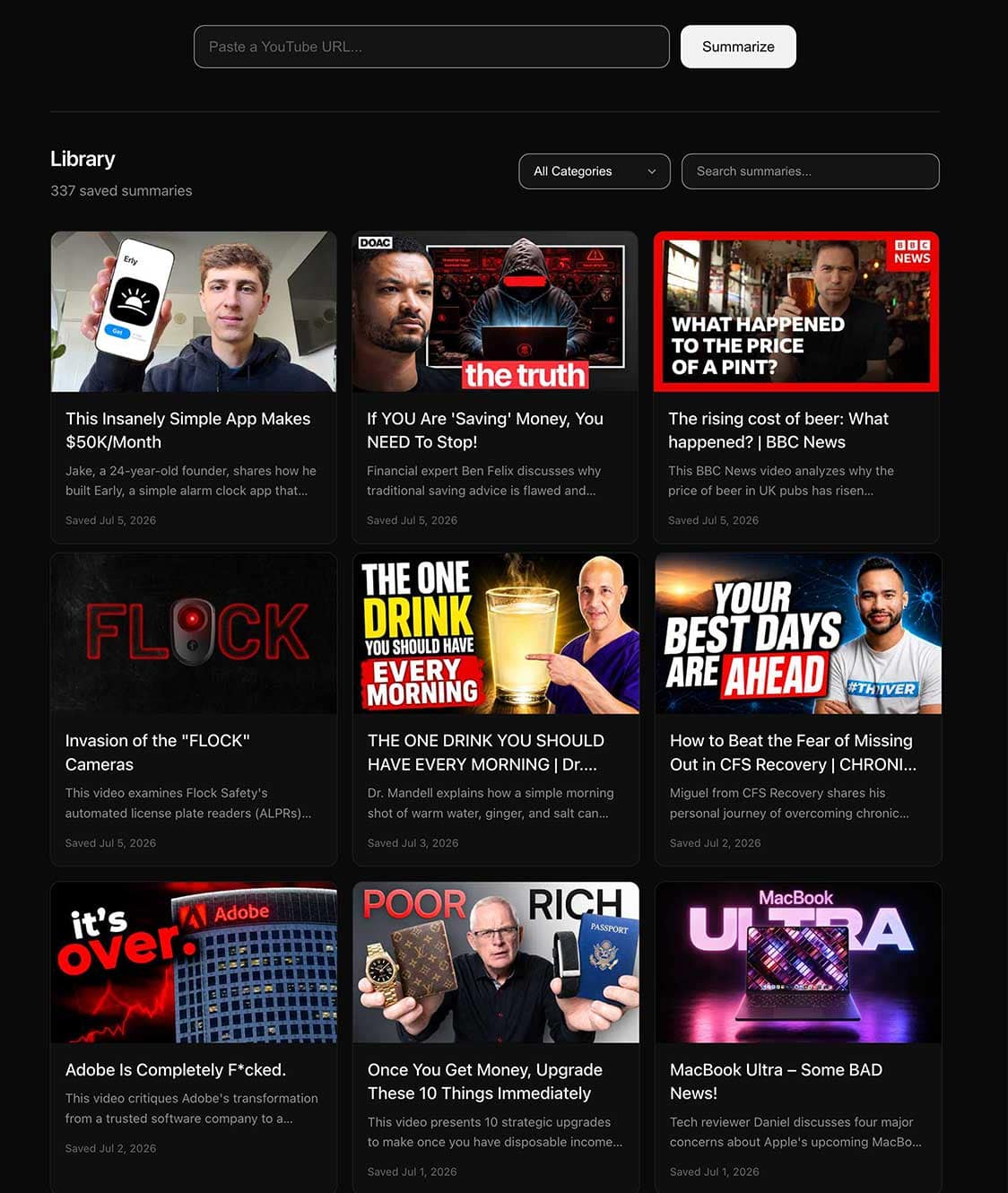
I’m no designer, but I know what I like, and I like things clean. Minimal, monochrome, no clutter, no loud colours. So I went looking for a way to fix the ugly part without learning design myself, and I found a site called v0.app. I signed up, and being brand new to it, I just typed in plain English what I wanted: this works but it looks awful, and I want it to look a bit like Apple’s website. Rounded corners. Clean. Black and white.
V0 spat out a load of CSS. I copied it, pasted it back into Claude Code, and told it to restyle Nuggets using that. That’s the interface it still has today.
Terminal Windows and Localhost
Building Nuggets also taught me things I’d never had to touch before. To run it, you open a terminal window, start a small local server, then open it in your browser at localhost. I’d never done any of that before that afternoon. Claude explained what each part meant while I did it, which is honestly how most of my early learning happened: doing it first, understanding it after.
From Six Cents a Video to Two
The first version ran on the most expensive Claude model available, and each summary cost somewhere between four and six cents. That matched almost exactly what my mate told me his own version was costing him, so at least I knew I wasn’t doing anything wrong. Still, I asked Claude if there was a cheaper way to do it. There was: a smaller model called Haiku. That dropped the cost to one or two cents for a typical twelve to fifteen minute video, and again, that’s still what Nuggets runs on now.
Three Months In
I built Nuggets right at the start of April this year. It’s now July, so I’ve had a good three months of actually living with it, not just building it then forgetting about it. My own copy has over 330 videos saved. That represents hundreds of hours I didn’t spend watching content start to finish. For roughly the same number again, I skimmed the summary, realised the video was clickbait, out of date, or something I already knew, and deleted it. No wasted watch time either way.
The bit I use most is the Telegram bot that comes with it. I’ll be on a bus, or standing in a queue somewhere, scrolling YouTube, and I’ll send across five or ten links that catch my eye. By the time I’m back at my computer, the summaries are sitting there waiting. Ten videos at fifteen minutes each is two and a half hours of watching. Instead I read through them in a few minutes and decide what’s actually worth my time.
Less Watching, More Doing
Three months of using this properly has taught me something about myself I hadn’t fully admitted before: I was watching a lot more YouTube than I needed to. Some of it was useful learning. A good chunk of it was just filling time. These days, when I’ve got energy to spend, and with CFS that’s never unlimited, I’d rather spend it learning to code or building something than watching another video about how someone else did it.
Nuggets in Public, DanTube at Home
One last thing worth mentioning. I didn’t call it Nuggets to begin with. My own version is still called DanTube, and I like the logo enough that I’ve kept it exactly as it is on my computer.
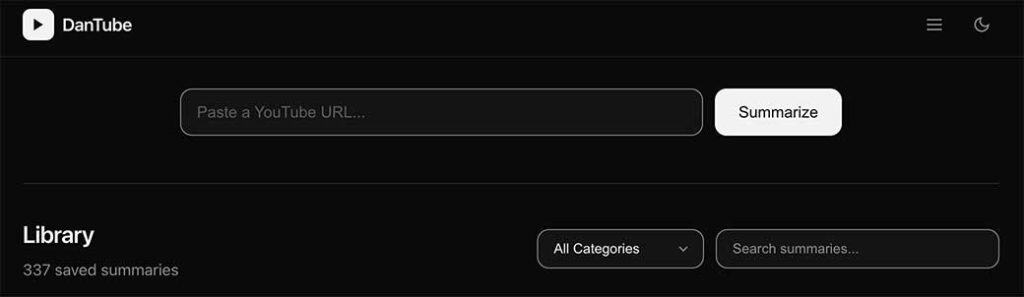
I couldn’t release it under that name though. Putting “Tube” in a product name and releasing it publicly is asking for trouble with YouTube, so Nuggets is what went out into the world. DanTube stays on my machine, just for me.
Frequently Asked Questions
What Is Nuggets, the YouTube Video Summarizer?
Nuggets is a free YouTube video summarizer. Paste in a link and it pulls the transcript, then hands you back a clean summary with the key points, no ads, no sponsor reads, no waiting through the intro.
How much does it cost to run?
Nuggets itself is free to download. Running it costs a small amount in API credit, usually one to two cents per video on the Claude Haiku model. Ten dollars in credit covers hundreds of videos.
Do I need to know how to code to use it?
No. There’s a short setup guide included with the download, but using it day to day is just pasting in a link.
Can I use it away from my computer?
Yes. There’s an optional Telegram bot. Send links from your phone and the summaries are waiting for you next time you’re at your computer.
Give It a Try
That’s the story behind Nuggets. If you’ve read this far and you reckon you spend a bit too much time watching YouTube for what you actually get out of it, or you just prefer reading over watching, give it a go. It’s free to download over on my Gumroad page, and you only ever pay for what you use.
That’s it for this post – see you in the next one!
Dan